Say what you need. Keep your flow.
ViSO lets you speak naturally to save notes, create tasks, set reminders, and act on the context around you — without switching apps.
We're onboarding our first 20 builders.


 +
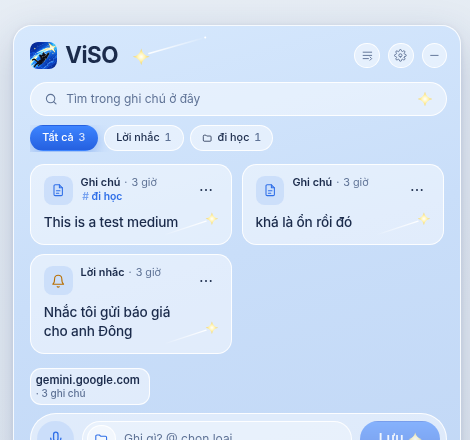
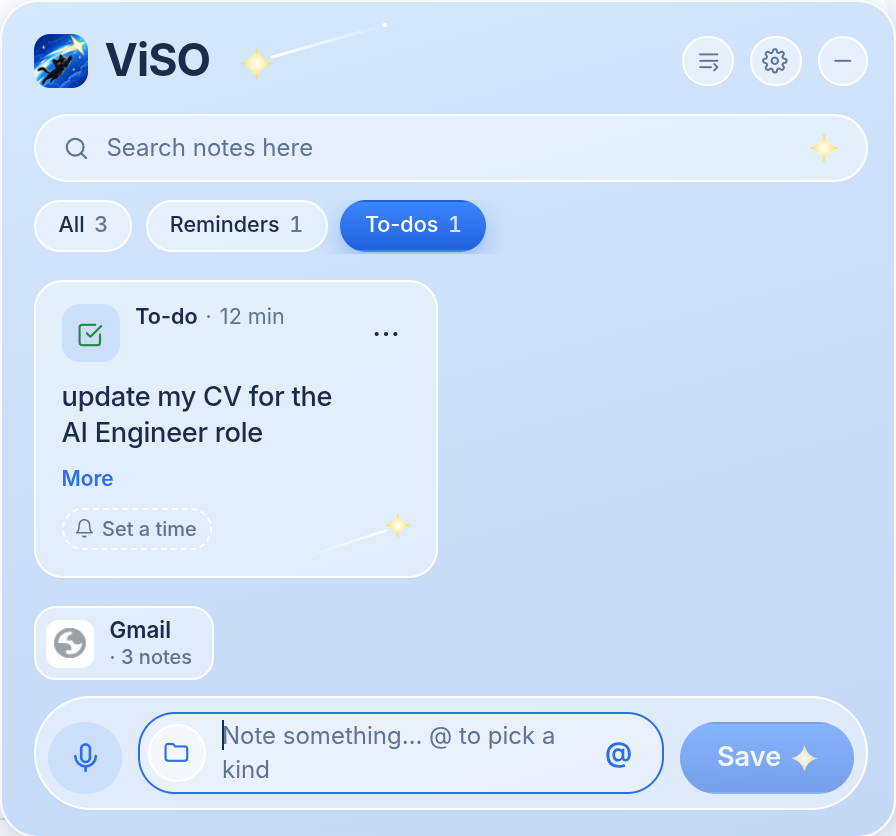

Say it once. ViSO knows what it needs to do.
You don't always need another app.
Sometimes you just need to save something before you forget it.
Notes
Save anything worth keeping
To-dos
Turn “I need to do this” into a to-do
Reminders
Set a reminder without setting one up
More on the way
Get started in 3 simple steps.
Think it. Say it. Done. ViSO takes you back to where the thought began.
rê chuột là hiện

Press a simple hotkey, anywhere
Reading email, writing, or in a meeting — press Ctrl + Space. ViSO waits quietly at the edge of your screen. + Space when you need it. ViSO stays quietly at the edge of your screen.+Space, nói, xong. Không mở app, không đổi cửa sổ. ViSO chỉ là một vạch nhỏ ở mép màn hình cho tới khi bạn gọi.
 "remind me to apply to CMC Global at 9am Friday"
 không gì rời khỏi máy bạn
Just say it
ViSO understands what you mean, turns it into a note, to-do, or reminder, and saves it in under a second., việc gì và khi nào, rồi cất vào đúng ngăn: ghi chú, việc, hay lời nhắc — không hỏi lại, không bắt bạn chọn. Tiếng Việt hay tiếng Anh đều hiểu, và mọi thứ diễn ra ngay trên máy bạn.

Get back to where you were
Click a note and ViSO takes you back to the exact email, document, or page. No need to remember where you saw it. là quay về đúng chỗ: tab đang mở thì nhảy sang, chưa mở thì mở lên.
Questions, answered
What can ViSO actually do?
ViSO có gửi âm thanh hay dữ liệu của tôi lên cloud không?
Không. ViSO nghe và hiểu ngay trên máy bạn, không cần mạng. Ghi chú nằm trong máy bạn; muốn sao lưu thì tự xuất ra một file và giữ ở đâu tuỳ bạn.
Tôi có thể gõ phím thay vì nói không?
Có. Trong khung ViSO trên trang web hay bảng Notes của app, gõ trực tiếp; gõ @ để chọn loại (ghi chú, lời nhắc, việc) thay vì phải nói đúng từ khoá.
How do I get the Alpha build?
Join the waitlist, then the Discord community: that's where builds are handed out, where you get help setting up and using it, and where early members get long-term perks when ViSO launches — soon. ở trên là có ngay, kèm hướng dẫn có hình. Đợt rộng hơn mở khi đồng hồ kết thúc; đăng ký email để được báo và nhận lời mời vào Discord.
Máy tôi có chạy được không?
Windows 10 / 11, macOS 13 trở lên với chip Apple (M1–M4), và Chrome / Brave / Edge cho extension. Mac Intel chưa có bản riêng.
Be on it from Day 1.
Bản thử sớm, góp ý thẳng, Discord với người làm ra nó. Windows, macOS và Chrome.